

What the columns are for
The identity columns are required. Everything else is optional, and an optional column you do not
have is simply a column you leave out.
Building one
1
Upload
Start from the blank template,
canvas-template-v6.xlsx. The same
link sits on the upload screen and in the campaign guide’s canvas chooser, as
Download the blank template (.xlsx). Drop your Excel file in. LatentCast reads it and shows a report: how many recipients it found,
how many things it can personalize, which sheets it read, and any warnings. A chat panel beside
it answers questions about your own data — what is missing, what looks thin, what looks wrong.
2
Preview & Edit
Your list opens as a grid. Read it the way the video will read it. Fix what is wrong, tick the
rows you want to include, and leave out any column you do not want used at all. Your original
file is never touched.
3
Sign-off
Confirm this is the dataset. The canvas is frozen, becomes read-only, and can now be chosen in a
personalization profile.
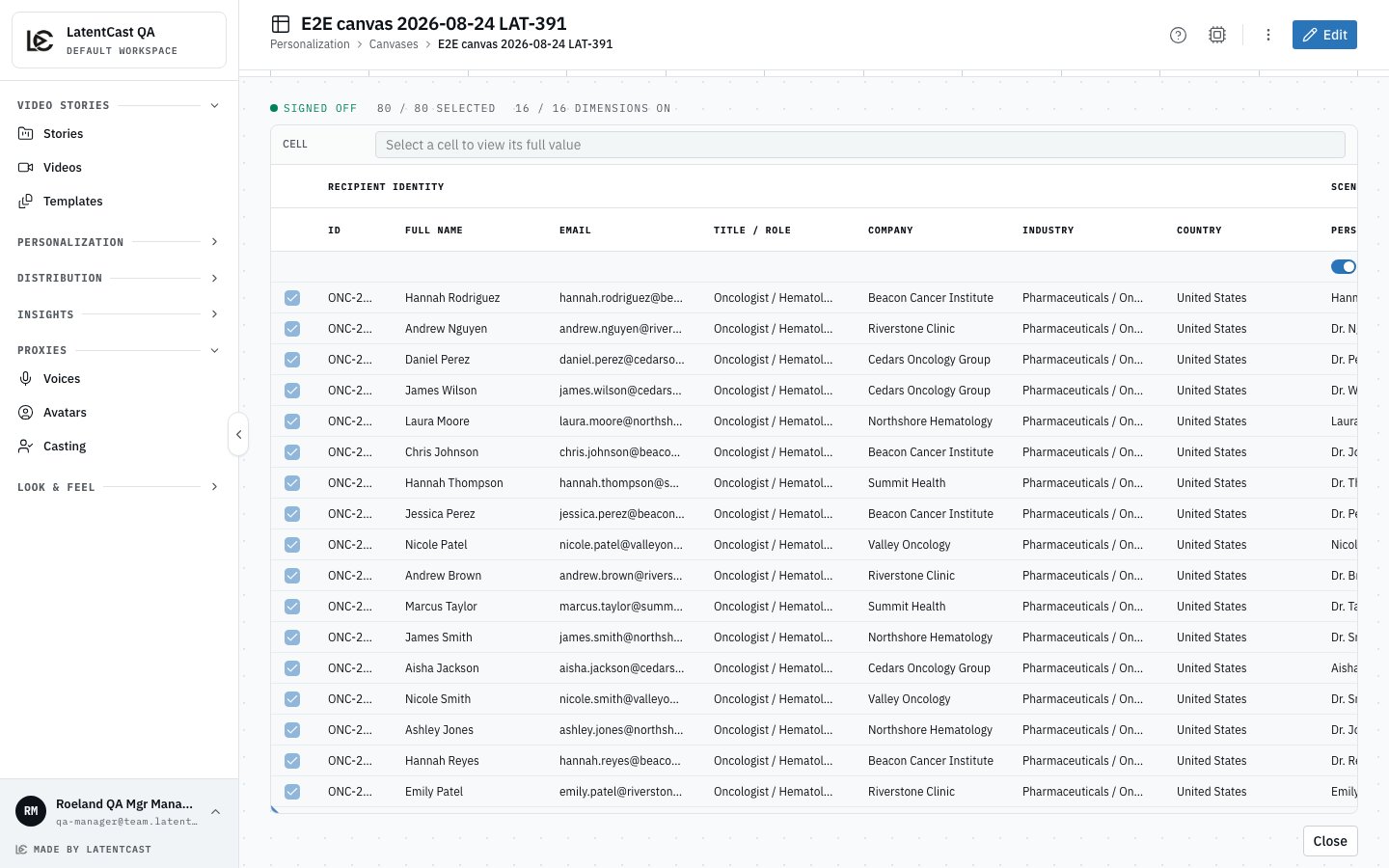
A signed-off list: the recipients on the left, the columns grouped by what they feed, and the counts along the top.
The rule that explains almost everything
Three things have to agree before a video says something personal about someone:- The profile asks for it. Your personalization profile decides what you want personalized. It is the first and decisive gate.
- The column is present and in use. A column you left out, or switched off in the grid, is not available to any profile.
- That person’s cell has something in it.
Practical advice
- Leave a cell blank rather than guessing. A blank is handled gracefully. A wrong value is not.
- Use the email address each presenter signs in with. That is how they are matched to their casting request.
- Start with a small list. Ten rows you know well will teach you more than four hundred.
- Re-upload rather than patch when your source data changes substantially. A canvas is frozen after sign-off, so a new version is the clean path.
Before you move on
- Every row has a name, an email, a company and a presenter.
- You have read the trigger and context cells and would stand behind each one out loud.
- The canvas shows as signed off.
Next
What you can personalize
The menu of things that can differ per person.
Building a profile
Tie the story and the list together into one set of rules.