

What a row holds
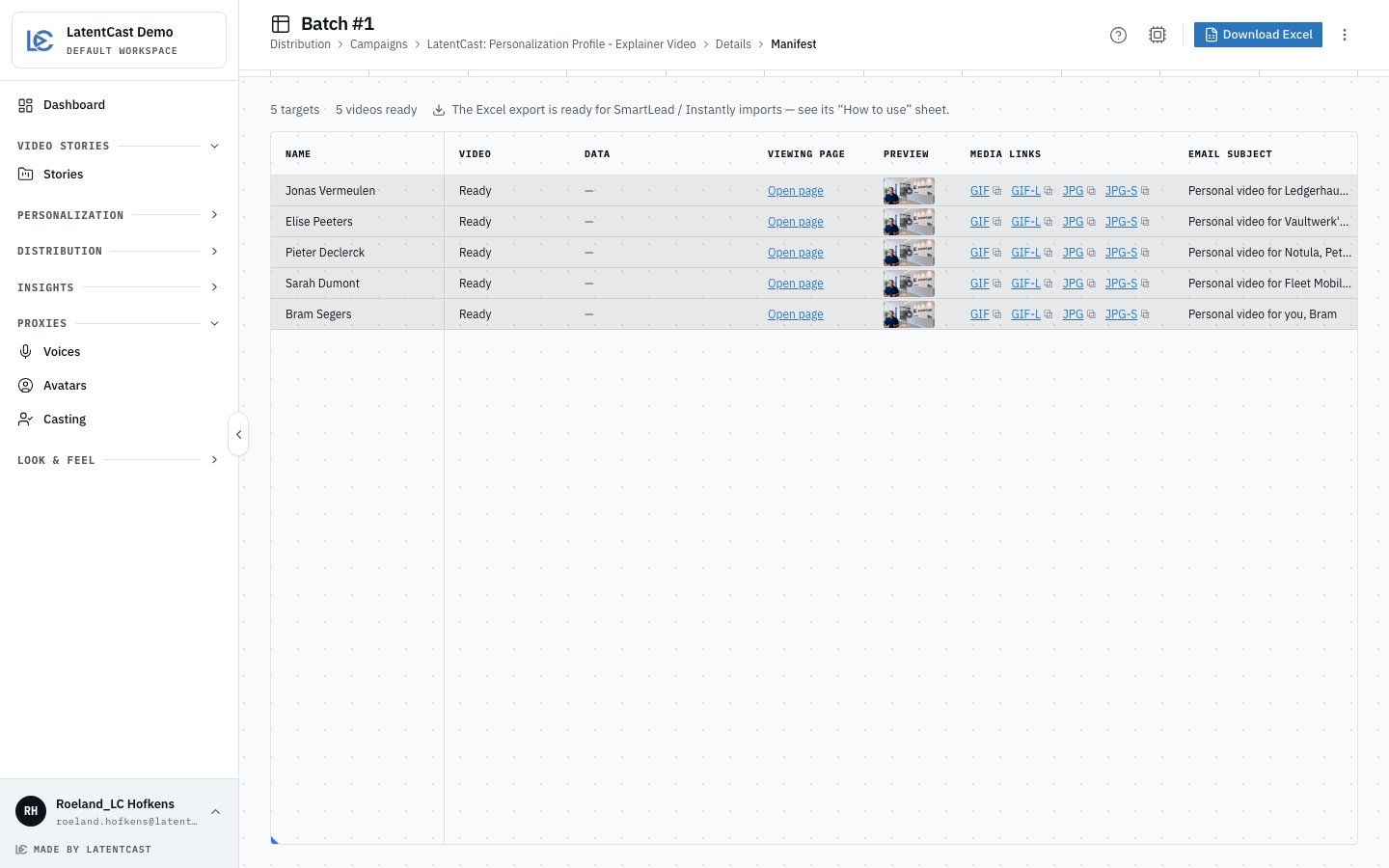
A finished manifest: the video, the page link, a preview thumbnail and the media links, each with a copy button.
The copy is a draft
Every piece of outreach copy is written for that specific person and signed by their own presenter, and every cell is editable. Click one and rewrite it. Your override survives a rebuild. Read a few before you send. The copy is good, and it is still worth your eyes on the ones going to people who matter.Getting it into your sending tool
Download Excel downloads the manifest as a spreadsheet shaped for the common sequencing tools, with their column-name limits respected and every link in plain text so it can be dropped into a merge field. Its How to use sheet explains the import. The intended flow is straightforward:- Download the manifest with Download Excel.
- Import it into your sending tool as a list.
- Build your sequence so it references each person’s page link, preview image and copy.
- Send.
- Come back and mark the batch as sent.
Rebuilding
Assets are built automatically as the last phase of a run, and a batch is not complete until they are. Build artifacts rebuilds them by hand, which you would do after changing the frame anchor. Rebuilt media keeps the same links.Before you send
- The batch shows complete, with nothing left to retry.
- You opened two or three viewing pages from the manifest and watched them.
- You read a handful of the outreach messages and would put your name to them.
- The preview images look like something you would click.
The manifest review
Opening a batch’s manifest records that you reviewed it. Until then the batch card on Campaign details offers View manifest; after, its button is Mark as sent. When the manifest of every completed batch is reviewed, the campaign guide is finished.After you send
Because you send from your own tool, LatentCast cannot know when the messages went out. Tell it: on the batch card records the moment, and an optional note for your colleagues, such as “sent from HubSpot, sequence 3”. On a batch with failures left to retry, you find it in the batch’s menu instead. The card then shows Sent with the date and your note. That moment becomes the batch’s , which is how Engagement picks and dates batches. A batch you do not mark is dated by the moment it completed, which may be days before you actually sent it. Only a completed batch can be marked as sent. If you marked the wrong one, Undo mark as sent in the batch’s menu clears it.Next
Viewing pages
The page each recipient lands on, and how to manage them.
Reviewing before you send
The gate that catches problems before this stage.