

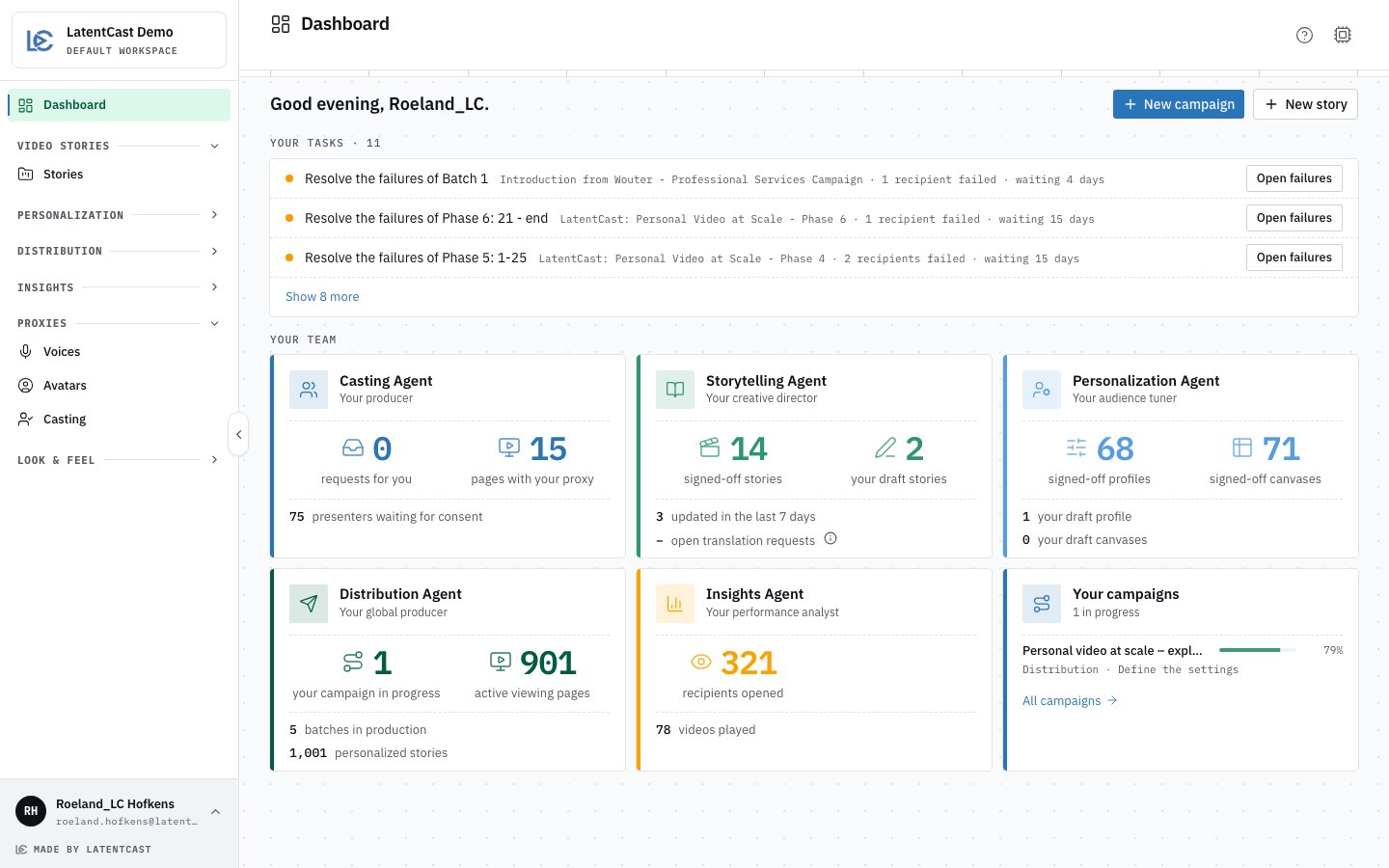
The Dashboard: Your tasks on top, folded to three, then Your team, one card per area of work and one for your campaigns.
Your tasks
What waits for you, newest first. Three tasks show; Show N more opens the rest. Each row names the task, the campaign or profile it belongs to and how long it has waited, and carries one button that takes you straight to it.
A task leaves the list once it is done. When nothing waits, the section says No tasks for you right
now.
Your team
Five agent cards, one per area of work, and a sixth for your campaigns.
Each big number is a link. Press it and its list opens, filtered to the same items: the number
on the card is the number of rows you get. All campaigns on the last card opens Campaigns.
Yours and your organization’s. A number whose label says your counts your own work: the
stories, profiles, canvases and campaigns you created. The others count your whole organization.
Tasks and campaigns stay current on their own: when a batch moves on or a presenter consents, the
Dashboard follows without a reload.
Do
1
Clear your tasks
Press the button on a task. It opens the exact page, and the task goes once you have acted.
2
Start a campaign
Press New campaign, give it a name and press Create. Its
opens and takes you through the
story, the recipients, the profile, the presenters and the batches. See
The campaign guide.
3
Start a story on its own
Press New story for the story wizard, the same one Stories opens. See
Make the Video Story.
An account with the Viewer role opens on Stories. The Dashboard counts the work of the people
who make stories and campaigns, so a Viewer does not see it.
Next
The campaign guide
Five stations from the story to the reviewed manifest.
Your first campaign
The whole journey, step by step, starting here.